CinProCaS Studio Desktop
Real-time global film production planning for directors, cinematographers, producers and crew members working together from anywhere in the world.
Every change updates across the team in about one second.
Multiple users can build the same project simultaneously.
Designed for films, series and professional teams.
One film project. Multiple cities. One real-time workflow.
A director in New York. A cinematographer in Los Angeles. A producer in London. A gaffer in Chicago.
They open the same project in CinProCaS Studio Desktop and begin building the film together.
The cinematographer places a light icon. The gaffer moves it. The change appears instantly on every connected screen.
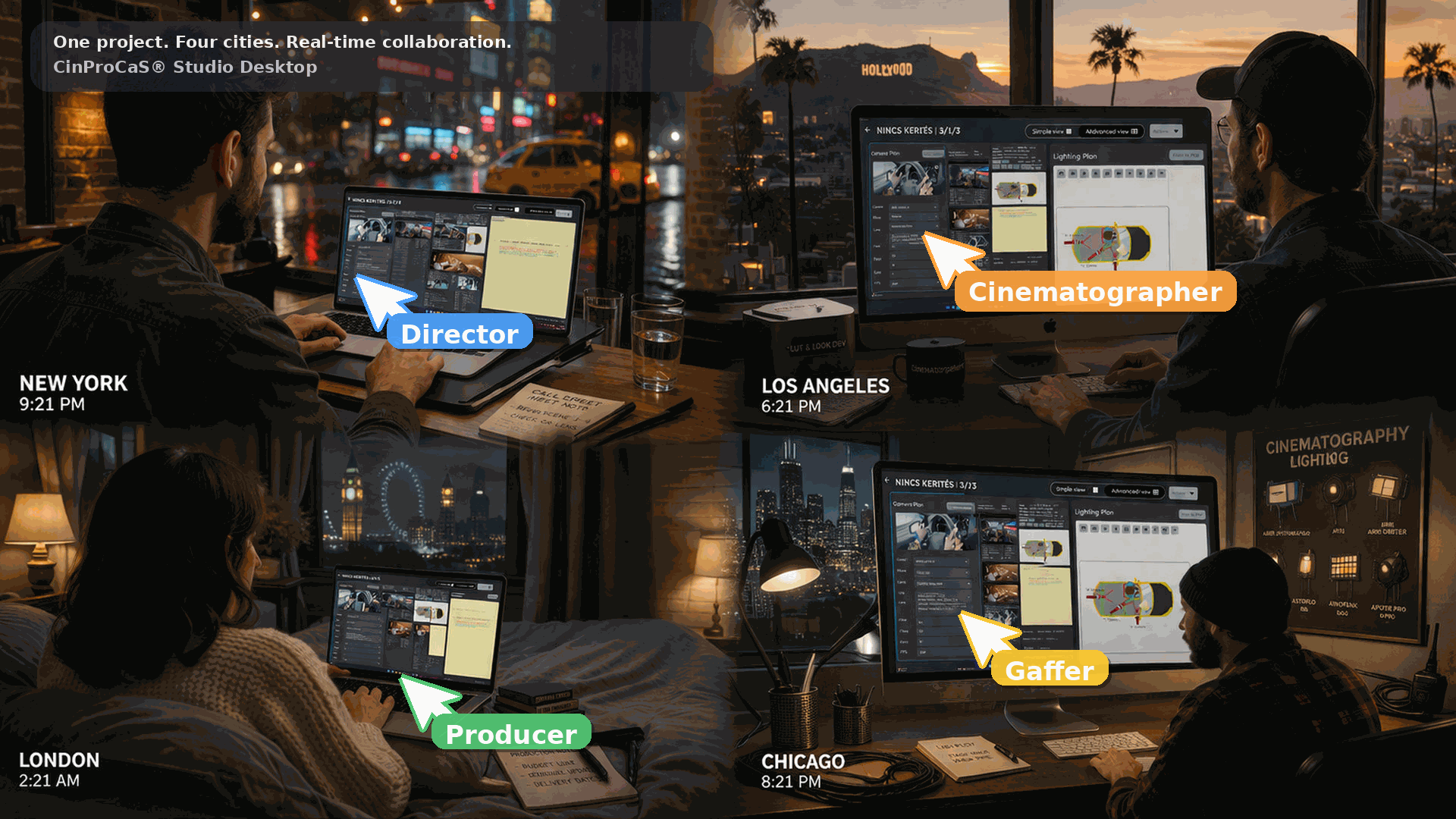
Real-time collaboration across multiple cities.
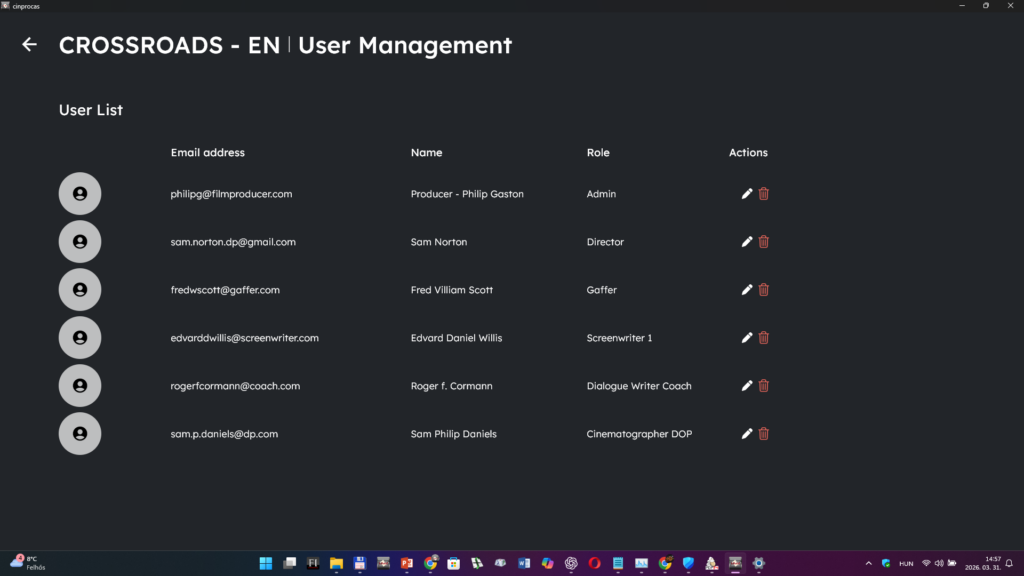
Producer-level oversight of the preparation process.
A system designed for production control
Film preparation often involves multiple departments working with different tools, documents and communication channels.
CinProCaS® Studio Desktop was designed so that the producer can supervise the entire preparation process in one system.
Directors, cinematographers, writers and department heads work inside the same project structure while the producer assigns roles, permissions and responsibilities.
Every change becomes visible to the entire team in real time.
Film production planning is still fragmented
Disconnected tools
Scripts, shot lists, lighting plans and notes live in different places.
Version confusion
Multiple revisions create uncertainty about which version is current.
Slow communication
Production decisions are delayed by emails and file exchanges.
Broken workflow
Creative and technical planning are separated.
One shared system for the film plan
A visual production structure the crew understands instantly
CinProCaS® Studio Studio Desktop organizes the preparation of a film into a clear hierarchy.
Scenes contain shots. Shots contain camera and lighting setups.
Creative and technical planning remain connected through the entire production process.
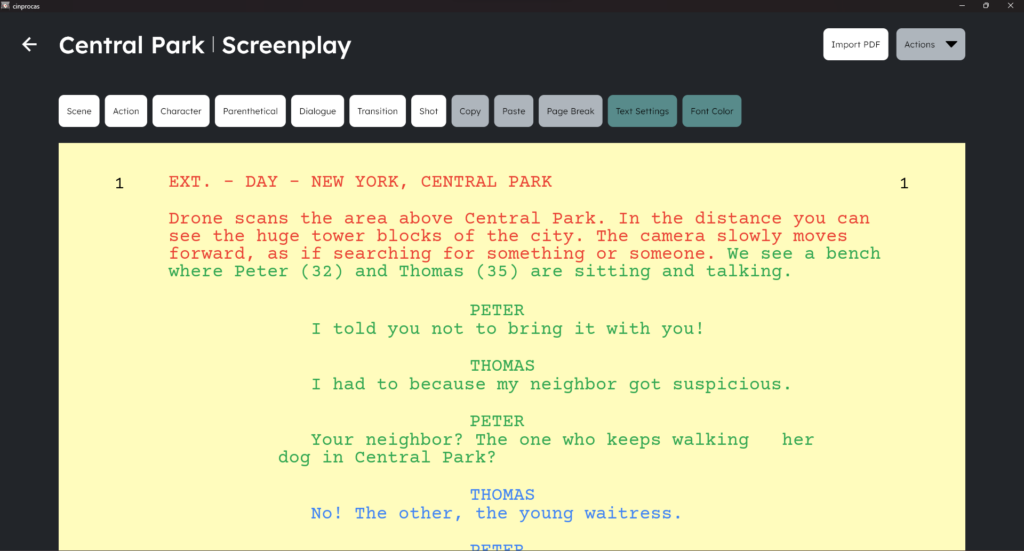
Screenplay editor interface inside the Studio Desktop system.
Collaborative screenplay writing
The system allows multiple screenplay writers and dialogue writers to work together safely.
Screenplay writers can edit the full script.
Dialogue writers can write dialogue only, without modifying the structure.
This protects the screenplay architecture while enabling parallel collaboration.
From screenplay to structured film project
CinProCaS® Studio Desktop can work with existing screenplays or scripts written directly inside the system.
Imported scripts are automatically organized into scenes and converted into the production structure used by the project.
Each scene becomes a working production page where camera planning, lighting design and technical notes can be developed.
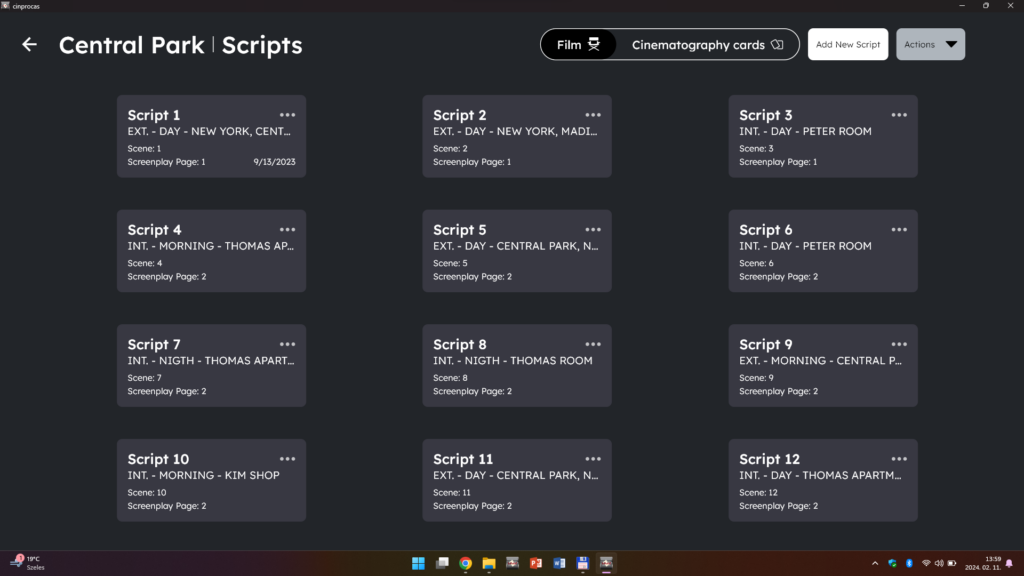
Script import and automatic scene-based project structure.
Producer-controlled access across more than 100 roles
Permission workflow
The producer assigns editing rights and viewing rights.
Production roles
Supports more than 100 professional crew roles.
Controlled collaboration
Different crew members have different access levels.
Notes without editing
Some roles can leave feedback without modifying the project.
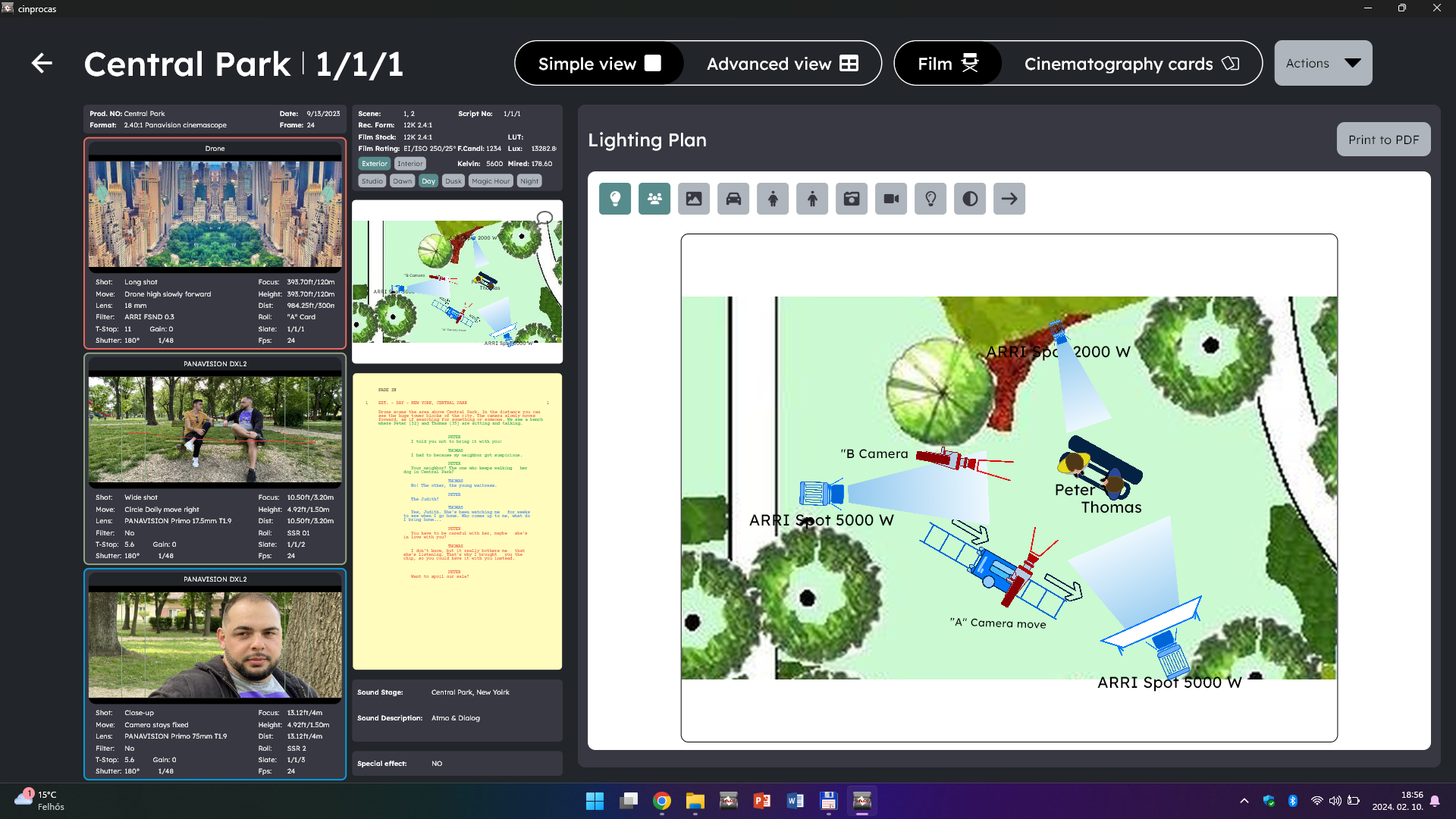
Integrated lighting design inside the production structure.
Professional lighting planning inside the film structure
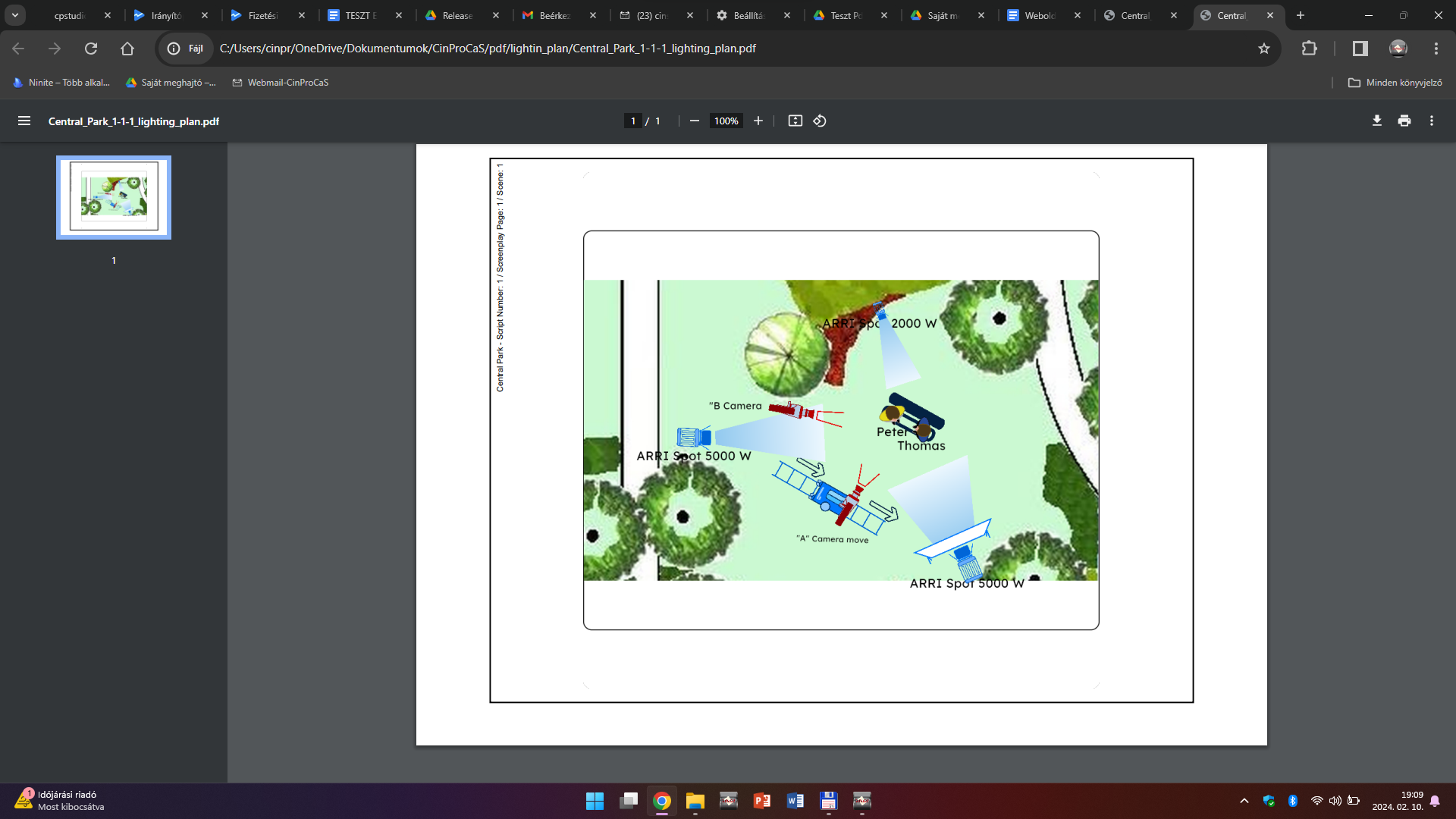
CinProCaS® Studio Desktop contains a full lighting design system integrated into the script pages.
Lighting plans are created directly inside the production structure, allowing cinematographers and gaffers to plan lighting setups while the rest of the crew develops the scene.
Floor plans or location plans can be imported and used as the base of the lighting diagram.
The lighting design always remains connected to the corresponding camera plan and scene.
Built for episodic and multi-project workflows
Series production often requires the reuse of locations, camera setups and lighting concepts across episodes.
With CinProCaS Studio Desktop, an approved setup from Episode 1 can be copied into Episode 2 and refined while Episode 1 is already being filmed.
This allows productions to move faster, stay visually consistent and reduce repeated planning work.
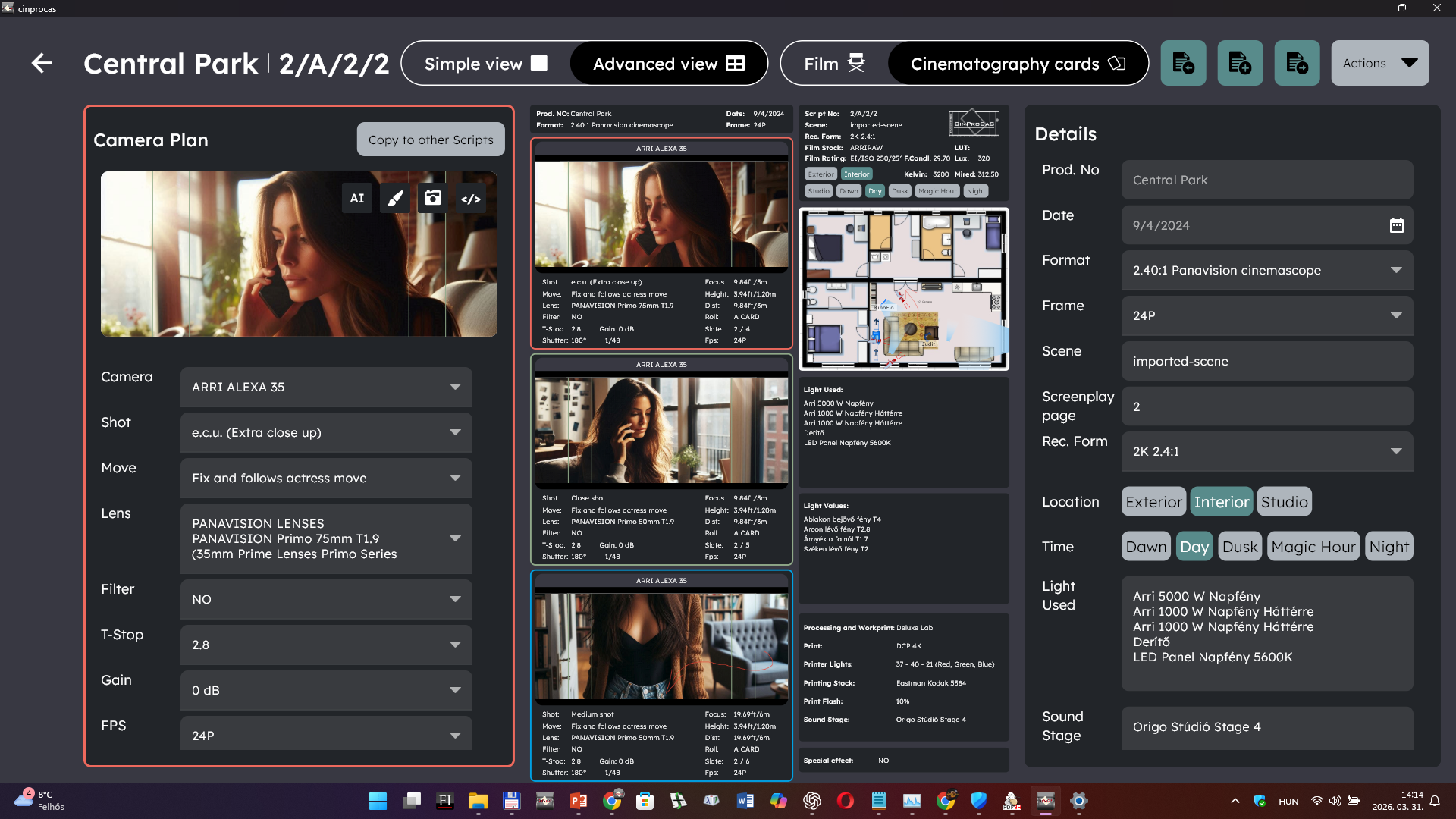
Series and episodic planning workflow.
Reuse approved planning elements
Film and series production often requires repeating locations, camera setups and lighting designs.
CinProCaS® Studio Desktop allows completed planning elements to be copied and reused across script pages or even across projects.
Camera setups, lighting plans and complete script pages can be duplicated and adapted instead of rebuilt from scratch.
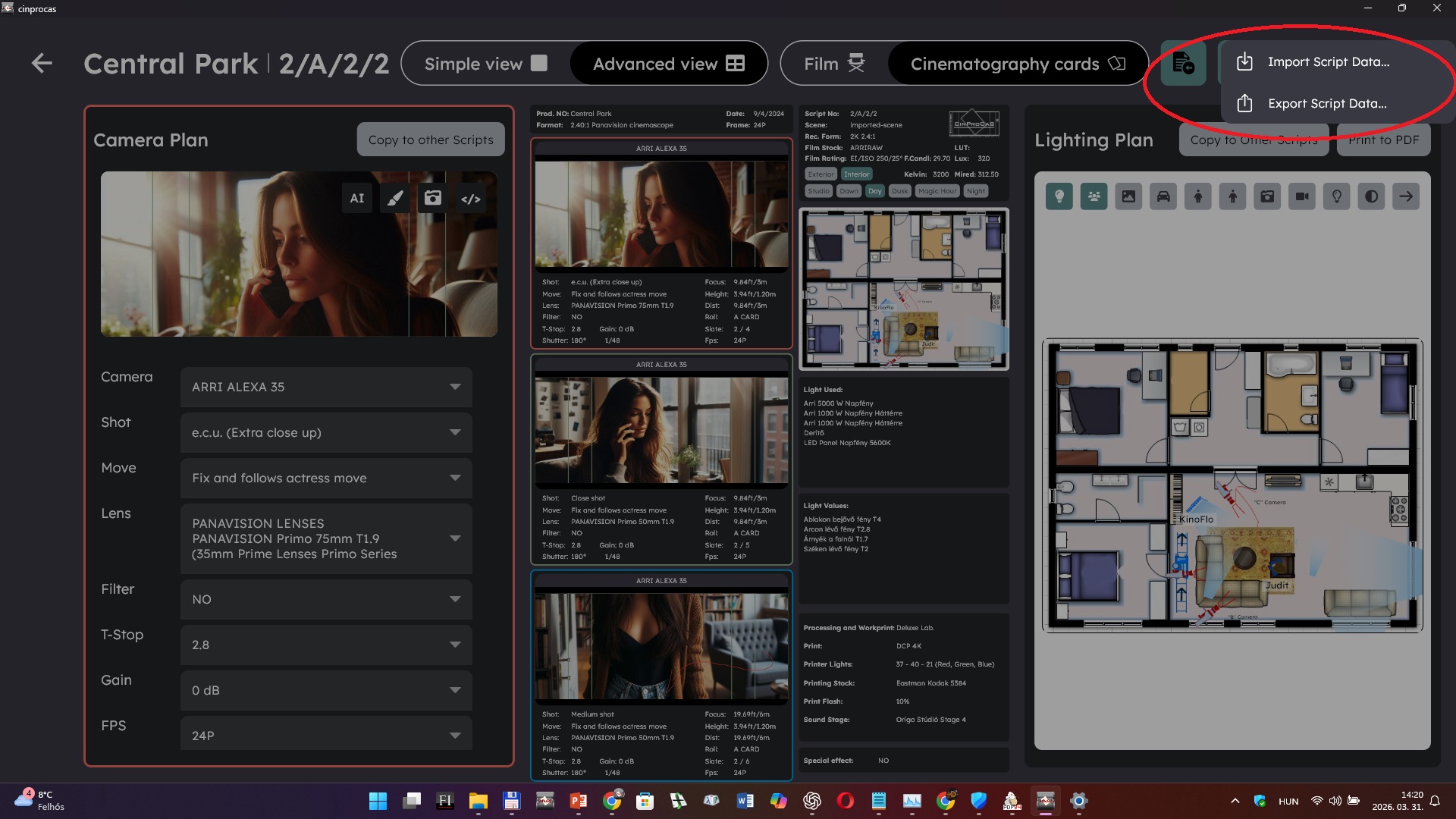
Copy functions for faster preparation and series consistency.
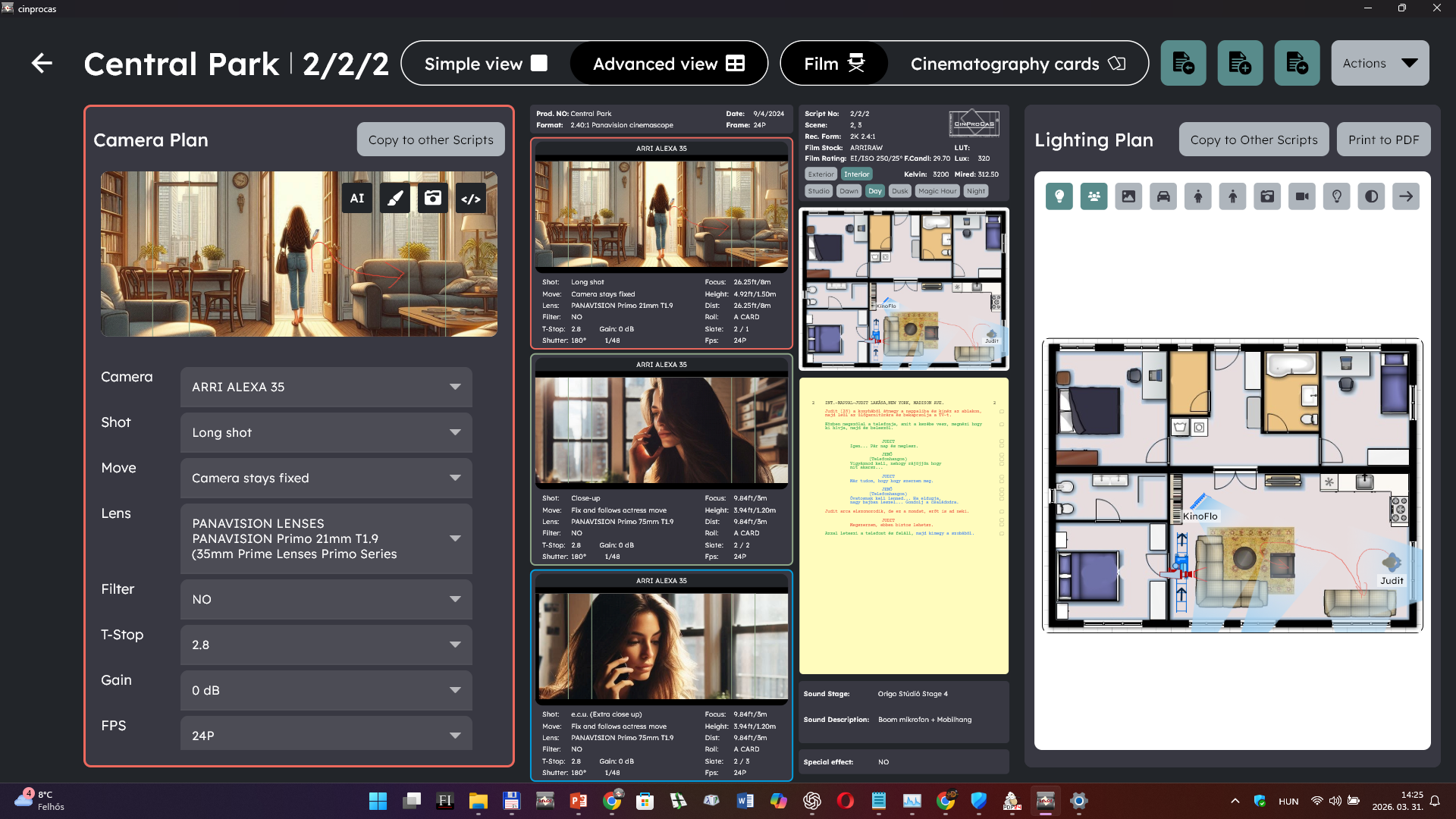
Camera, script and technical planning in one visual system.
Camera, script and technical planning connected in one place
CinProCaS® Studio Desktop connects the screenplay, the camera plan, technical information and production notes inside the same project structure.
This means the whole creative and technical logic of the film can be developed in one visual workflow.
Generate production documents for the crew
CinProCaS® Studio Desktop does not only help plan a film — it also generates the PDF documents used during production.
Different departments can receive the exact information they need before the shooting day.
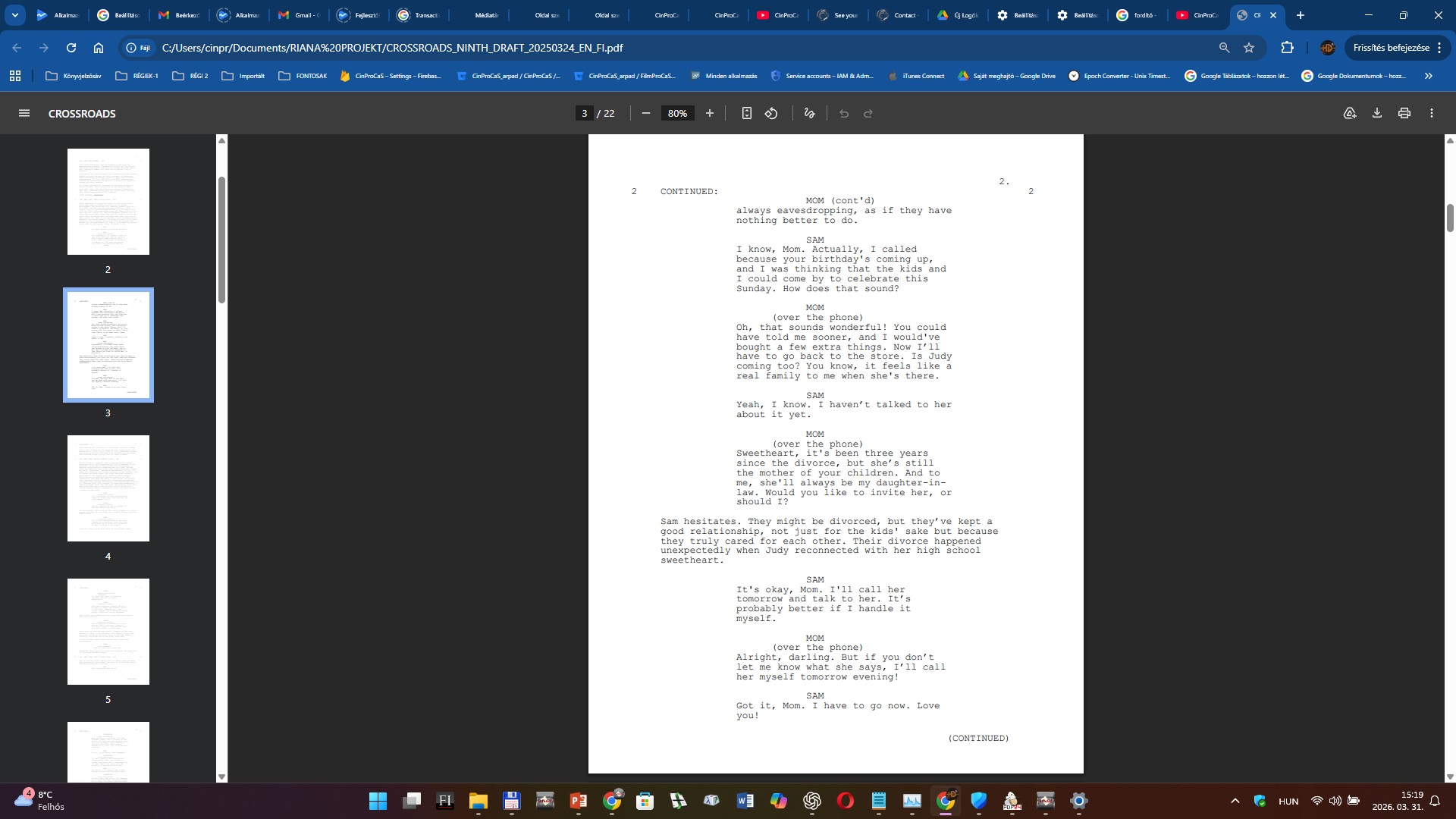
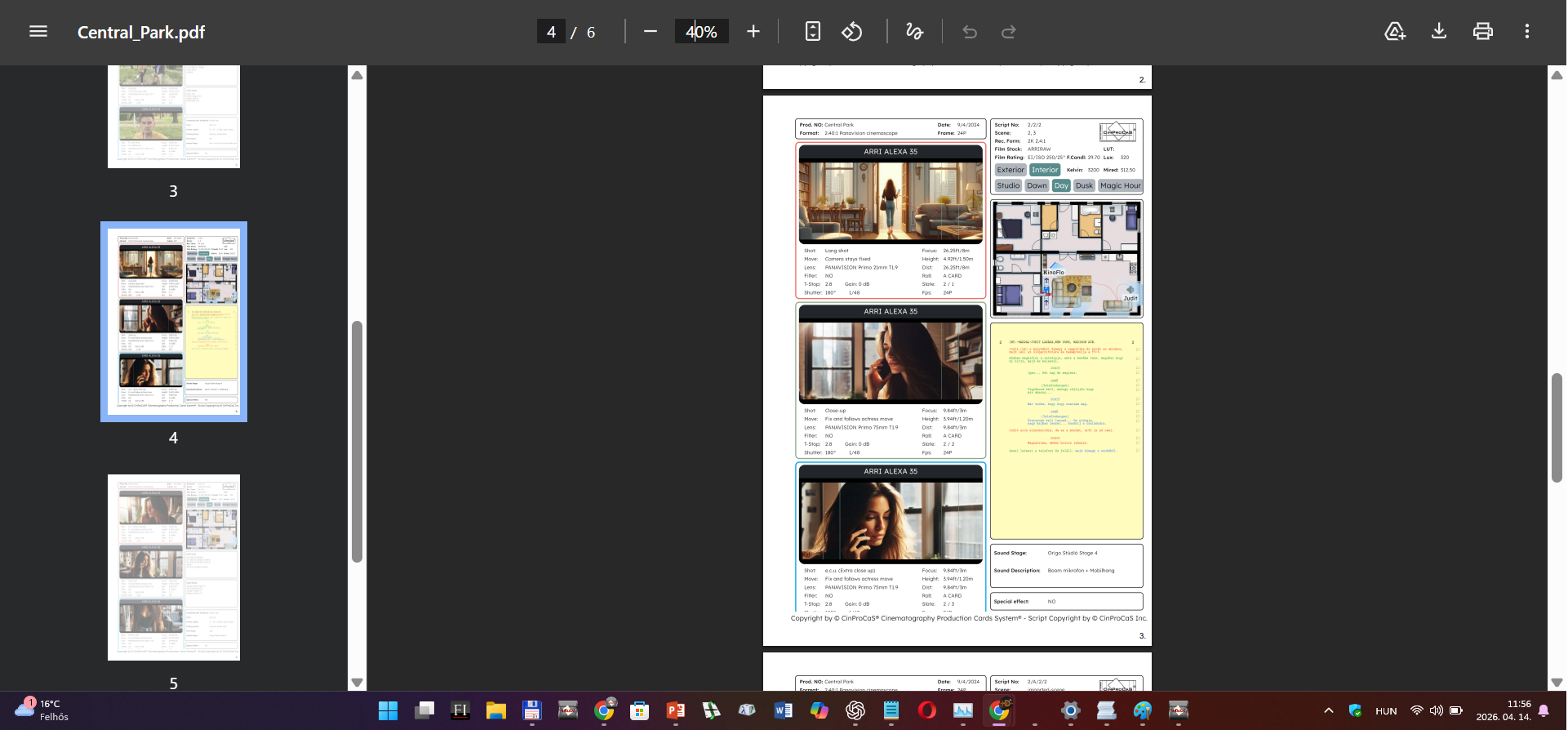
Export options
Full project PDF, single script page PDF, lighting plan PDF, technical camera data PDF and finished screenplay export.
See CinProCaS Studio Desktop in action
Custom licensing for productions
CinProCaS® Studio Desktop is not sold through Apple Store or Microsoft Store.
The software is available directly through custom quotation.
Flexible project count
Start from 1 project.
Email access
Configured by number of team accounts.
Custom pricing
Every production receives an individual quote.
