ABOUT US | SOFTWARE | PACKAGES | ORDER | CONTACT


A NEW ERA
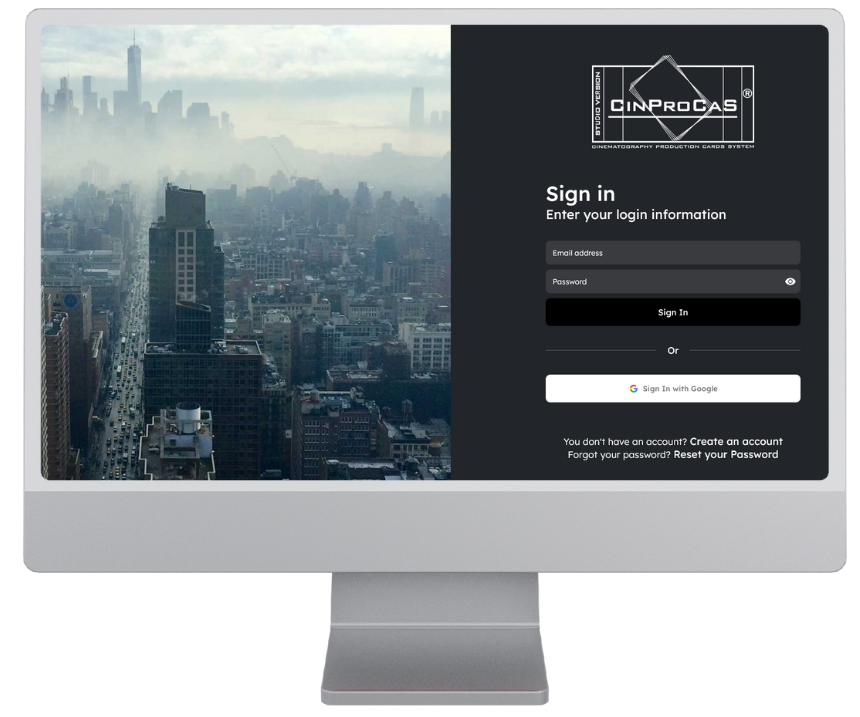
The CinProCaS® Studio Desktop Version opens up a new era in film planning.
It is the first and unique application/software in the world that brings together the creative power of the:
- producer,
- director,
- cinematographers,
- script and dialogue writers in a single unified online interface, without any geographical constraints.

CinProCaS® is a one-of-a-kind digital film planning software in the world.
“This is so good that I wonder why no one thought of it earlier. I am ready to provide all the assistance to make it happen.” – Vilmos Zsigmond (ASC), Oscar-winning cinematographer.
DESIGNED FOR FILM STUDIOS
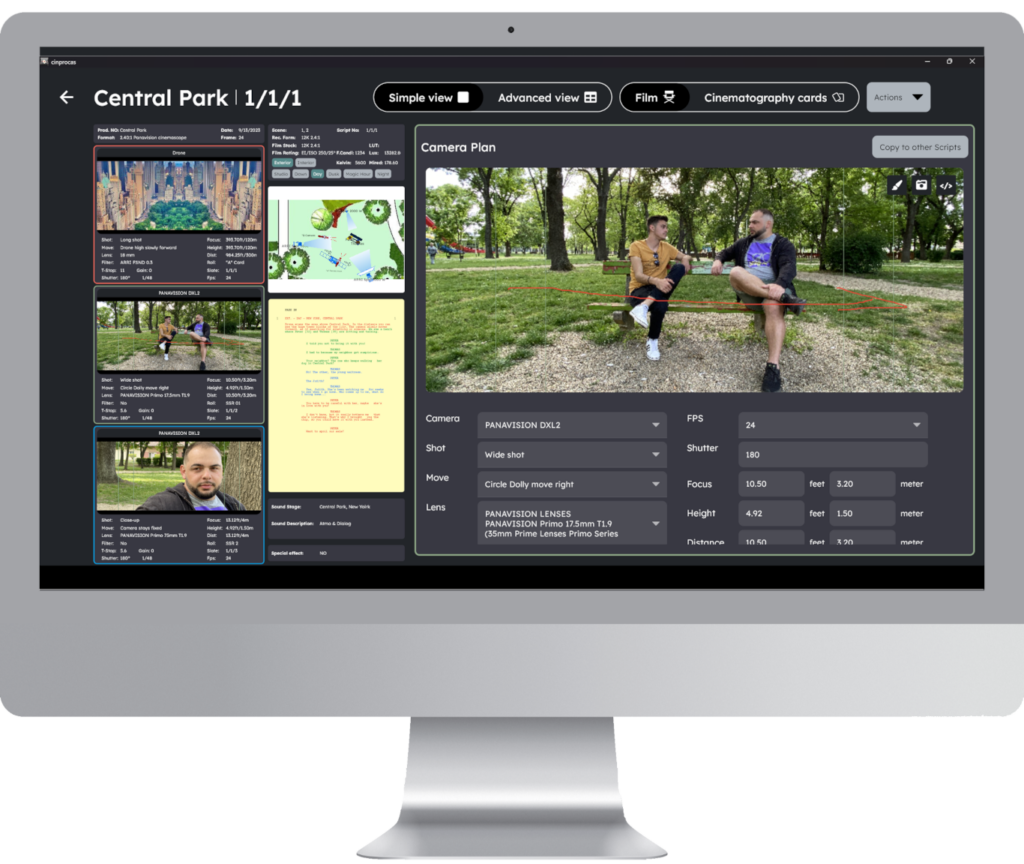
The CinProCaS® is specifically tailored to the needs of film studios. Its interface is exceptionally intuitive, providing unique and detailed information to every crew member involved in the entire film planning process.
The comprehensive visual representation of the technical realization of scenes becomes quickly and efficiently apparent, expediting communication and saving significant time in both planning and film production.
WHY CINPROCAS?

SIMPLE AND
TRANSPARENT
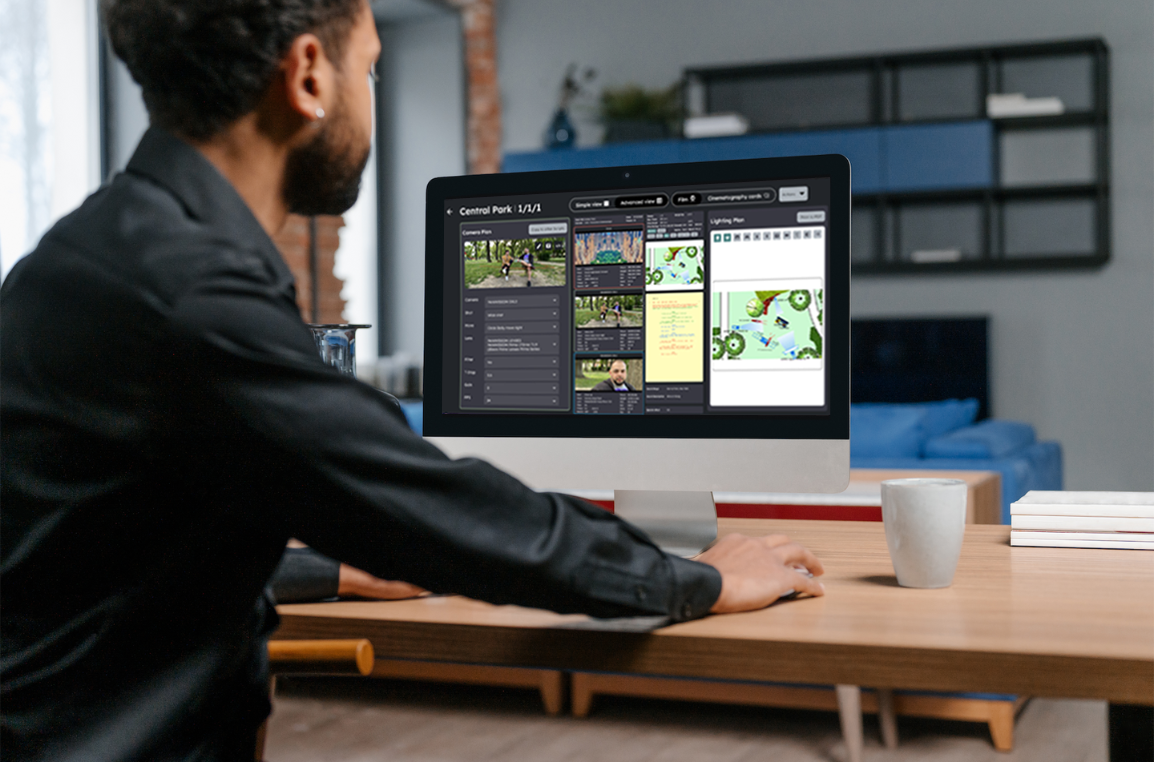
The application’s simple and transparent interface allows for meticulous planning, making every detail regarding the necessary technical conception for film shooting visible.
Every crew member can instantly access current information and actively participate in the planning process, fostering a more streamlined and efficient workflow.

UNITING CREATIVE FORCES IN ONE PLACE
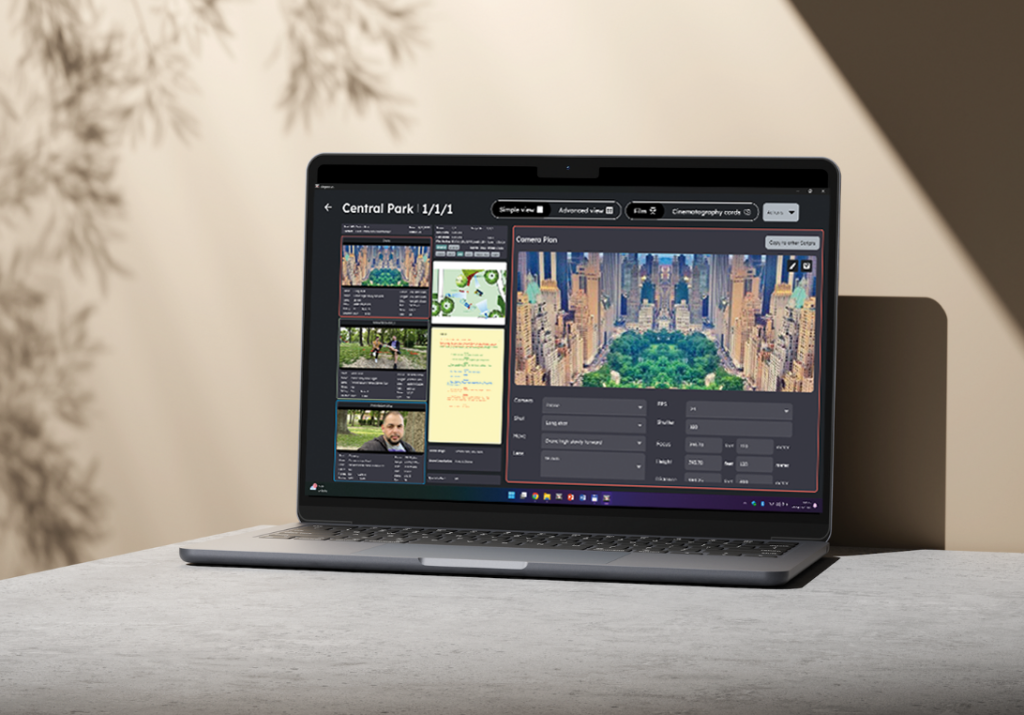
CinProCaS® goes beyond being just software; it serves as a platform that connects creative forces and maximizes studio productivity.
The Studio Version is not just a tool for film planning; it represents a revolutionary new approach for bringing creative ideas to life on the screen.
100%
EFFICIENCY
INFORMATION FOR EVERY CREW MEMBER .


COST-EFFECTIVE,
BECAUSE TIME IS MONEY!
The primary advantage of the CinProCaS® Studio Desktop version lies in substantial time savings and the acceleration of communication within the production process, leading to a significant reduction in film costs for producers.
CinProCaS® Studio Desktop
OFFERS COMPREHENSIVE SUPPORT
IN EVERY STAGE OF THE PROJECT
FROM PLANNING TO EXECUTION
The software assists in coordinating tasks and transparently sharing information among crew members, ensuring that everyone is consistently in the right place at the right time.

PLANNING
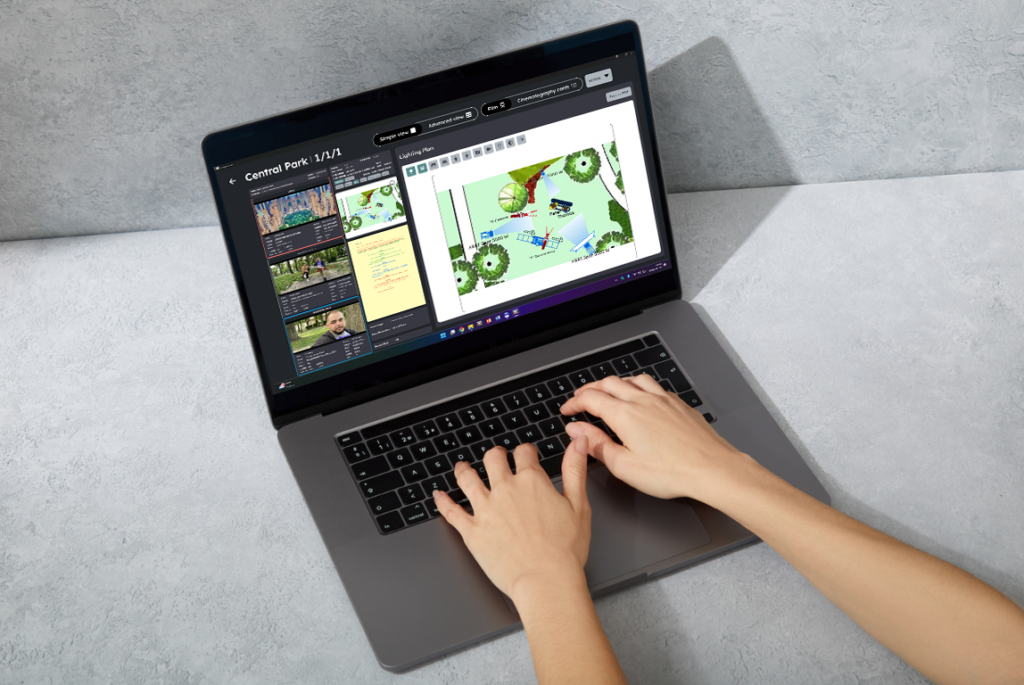
During the planning phase, the software facilitates the effortless development of ideas and the storyline.
PREP
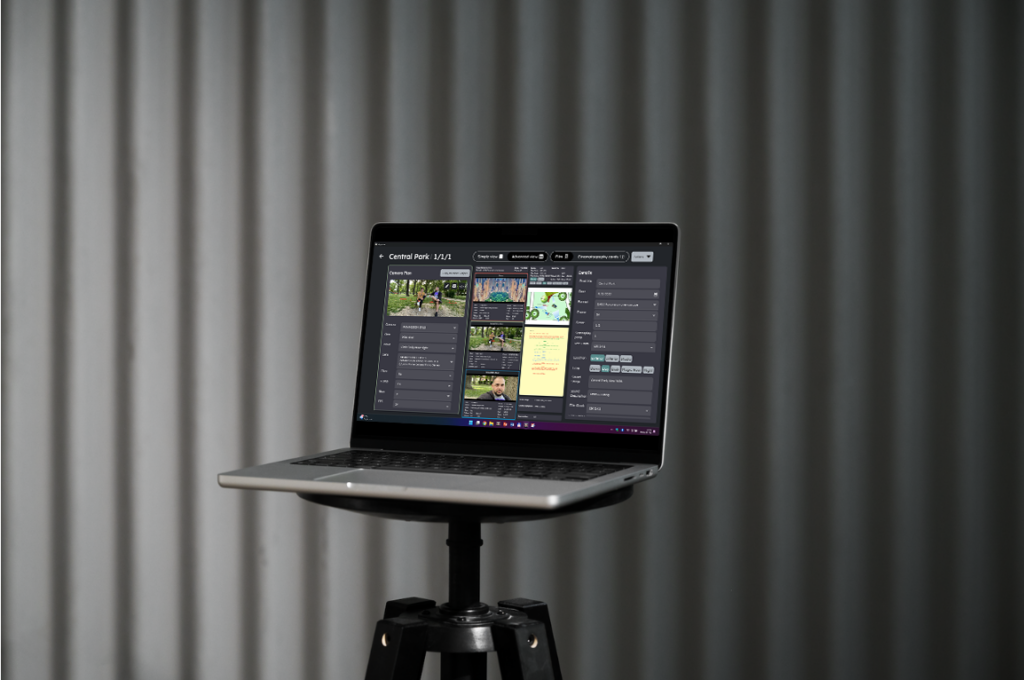
Detailed preparation can be carried out before execution, covering locations, cast, and everything necessary for the filming process.
EXECUTION
During the execution, there will be an opportunity to seamlessly coordinate the filming and post-production, allowing the final film to take on its best form.
CINPROCAS®
THE TRUE TEAM PLAYER!
IT PROVIDES SUPPORT TO EVERY CREW MEMBER BY TAKING INTO ACCOUNT THE DETAILS THAT MATTER TO THEM AND ENSURING EFFICIENT WORK.
DIRECTORS
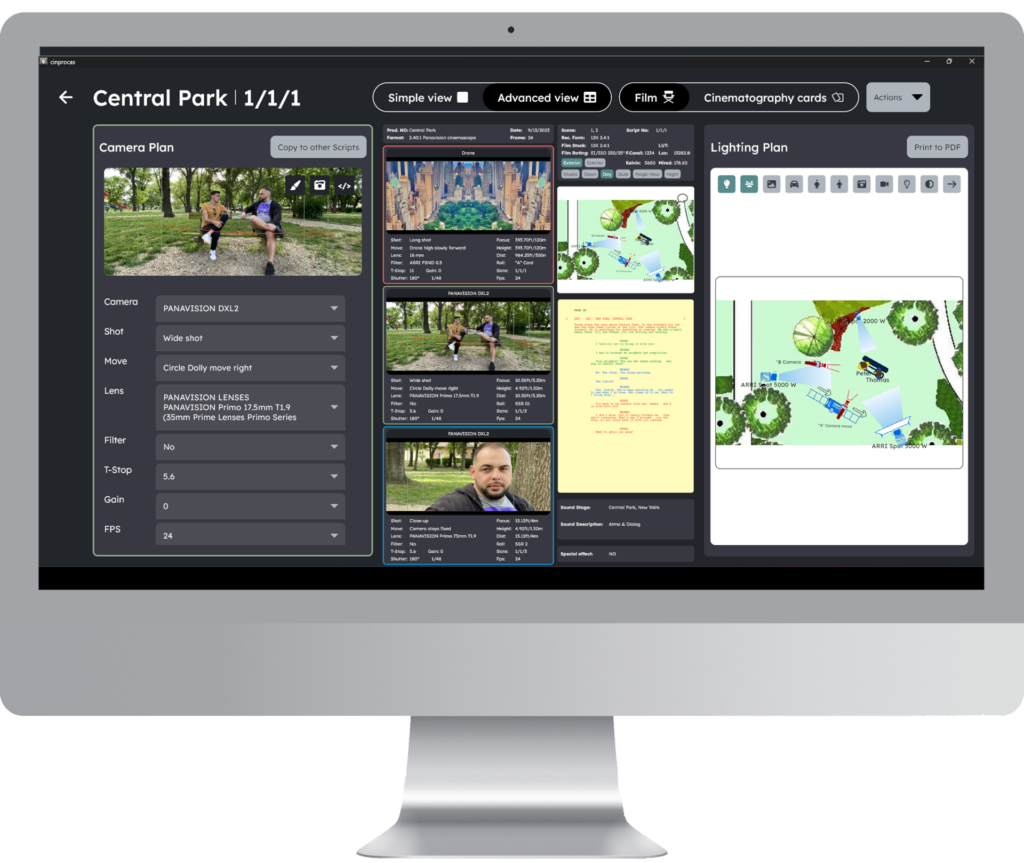
For directors, this software provides an opportunity to precisely develop the concept and effectively communicate visual ideas with the crew.
CINEMATOGRAPHERS
The software comes with technical specifications from around the world, allowing lighting technicians to easily plan and develop a lighting design for the shoot.
LIGHTING TECHNICIANS
The software comes with technical specifications from around the world, allowing lighting technicians to easily plan and develop a lighting design for the shoot.
PRODUCTION MANAGERS
It assists line producers and on-site production coordinators in efficiently managing logistics and resources at the filming location.
EDITORS AND POST-PRODUCTION
The post-production team presents the filmed material in an organized manner, facilitating the selection process and making the editing process easier.
FOR SCREENWRITERS
SCREENPLAY IMPORT
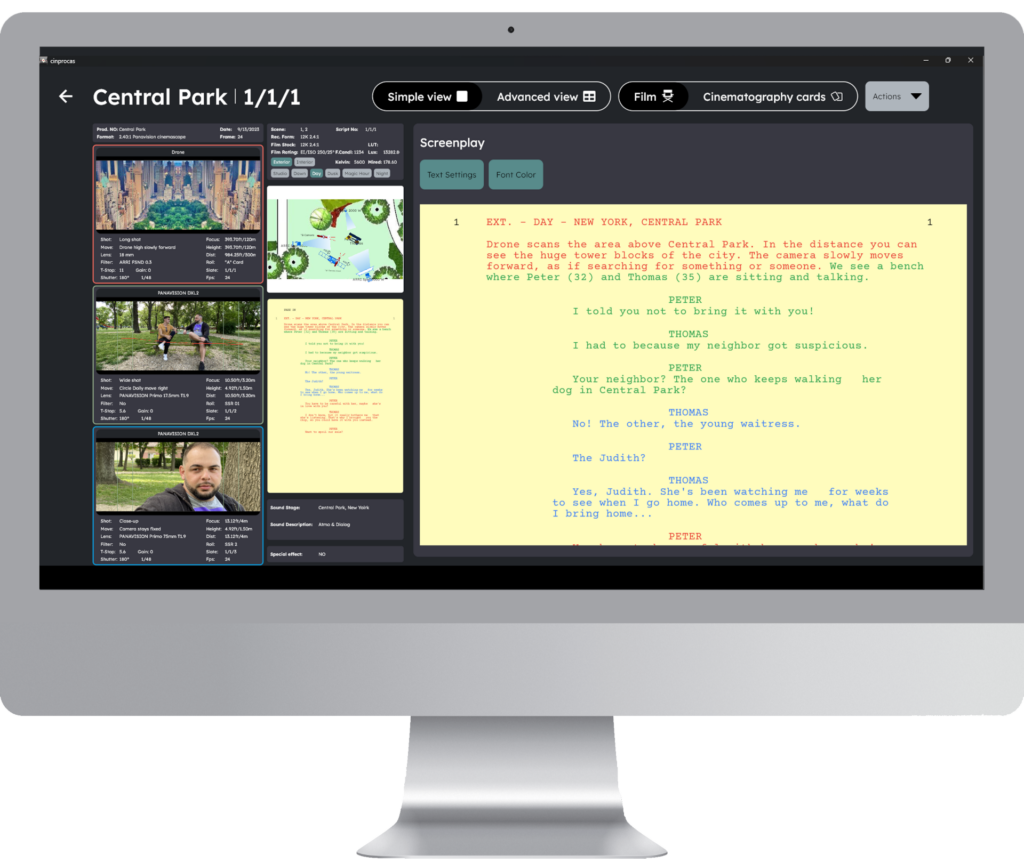
If you already have a written standard screenplay, it can be imported into the CinProCaS® Studio software within seconds. The software breaks it down into scenes and creates script pages, allowing the cinematographer to begin detailed planning with the director and the producer.
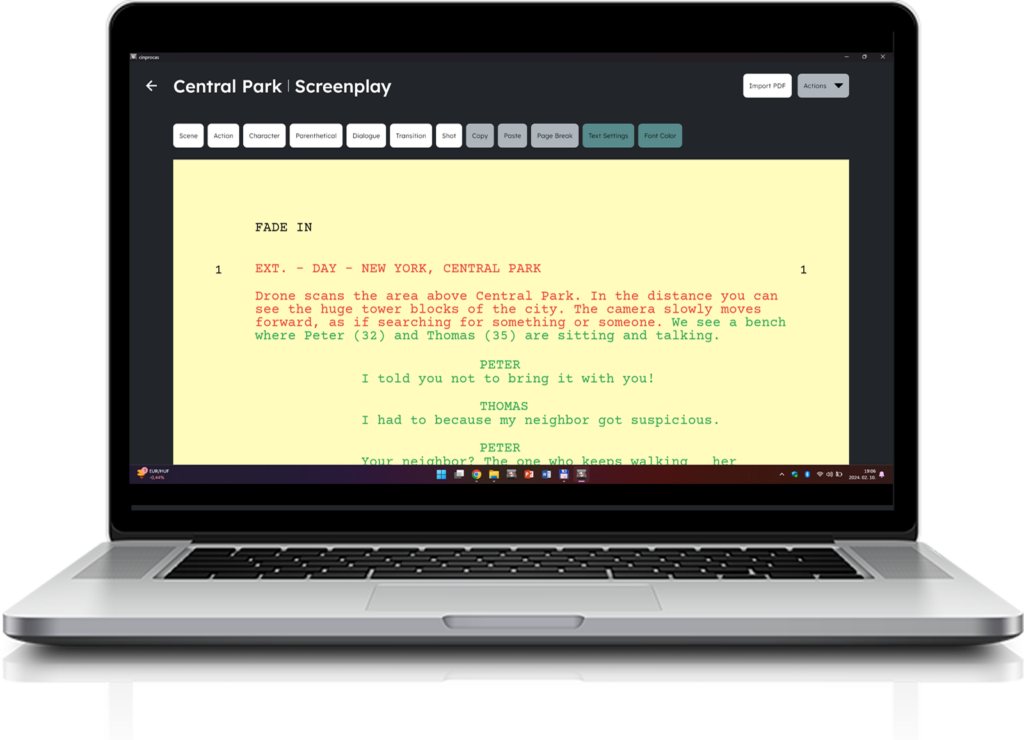
SCREENPLAY CREATION
If there is no written screenplay, in the CinProCaS® Studio version, up to 3-4 screenwriters and 3-4-5 dialogue writers can collaborate simultaneously on film writing. As the work begins, the director and cinematographer can also start working on individual scenes.

FOR PRODUCERS
The software provides better transparency and control over the project, facilitating more efficient collaboration with the crew and promoting the successful completion of the film.
COST-EFFECTIVE PROJECT MANAGEMENT
The software facilitates comprehensive project management, providing the producer with a complete overview of the project, crew members, and tasks. Enhancing planning transparency contributes to budget maintenance and meeting deadlines effectively.
DETAILED PLANNING AND PREPARATION
The planning tools allow the producer to thoroughly review and approve the screenplay, locations, casting decisions, and technical details, ensuring seamless preparations for the shoot.
COMMUNICATION AND COLLABORATION
The software offers a platform for seamless and efficient communication with the crew, enabling easy information sharing. This fosters team collaboration and mitigates the risk of potential misunderstandings.
SELECTABLE PACKAGES
FOR CREWS OF 5-20 MEMBERS
PACKAGE 1:
FOR 1 PROJECT
WITH 5 EMAIL ADDRESSES
Includes 5 task-based roles out of the 100, and based on email addresses, the Admin-Producer can assign tasks.
$ 4500
FOR 12 MONTHS
PACKAGE 2:
FOR 2 PROJECT
WITH 10 EMAIL ADDRESSES
Includes 5 task-based roles out of the 100, and based on email addresses, the Admin-Producer can assign tasks.
$ 9000
FOR 12 MONTHS
PACKAGE 3:
FOR 3 PROJECT
WITH 15 EMAIL ADDRESSES
Includes 5 task-based roles out of the 100, and based on email addresses, the Admin-Producer can assign tasks.
$ 13500
FOR 12 MONTHS
PACKAGE 4:
FOR 4 PROJECT
WITH 20 EMAIL ADDRESSES
Includes 5 task-based roles out of the 100, and based on email addresses, the Admin-Producer can assign tasks.
$ 18000
FOR 12 MONTHS
Packages can only be purchased directly from CinProCaS Inc. through an annual contract. Monthly or semi-annual purchase or subscription options are not available.
SELECTABLE PACKAGES
FOR CREWS OF 25-240 MEMBERS
PACKAGE 5:
FOR 5 PROJECT
WITH 25 EMAIL ADDRESSES
Includes 5 task-based roles out of the 100, and based on email addresses, the Admin-Producer can assign tasks.
$ 22500
FOR 12 MONTHS
PACKAGE 6:
FOR 3 PROJECT
WITH 60 EMAIL ADDRESSES
Includes 20 task-based roles out of the 100, and based on email addresses, the Admin-Producer can assign tasks.
$ 54000
FOR 12 MONTHS
PACKAGE 7:
FOR 2 PROJECT
WITH 120 EMAIL ADDRESSES
Includes 60 task-based roles out of the 100, and based on email addresses, the Admin-Producer can assign tasks.
$ 108000
FOR 12 MONTHS
PACKAGE 8:
FOR 4 PROJECT
WITH 240 EMAIL ADDRESSES
Includes 60 task-based roles out of the 100, and based on email addresses, the Admin-Producer can assign tasks.
$ 216000
FOR 12 MONTHS
Packages can only be purchased directly from CinProCaS Inc. through an annual contract. Monthly or semi-annual purchase or subscription options are not available.
ADDITIONAL SERVICES
ADDING EMAIL ADDRESSES
ADDING ADDITIONAL 1-10 EMAIL ADDRESSES TO THE ALREADY PURCHASED PACKAGE
EACH ADDITIONAL EMAIL ADDRESS COSTS $ 125 PER MONTH
The number of added EMAIL ADDRESSES corresponds to the duration of the package, thus the number of projects does not increase.
ONLINE TRAINING:
$ 1200 / SESSION
SERVICE UPDATE:
$ 2.400/YEAR/25 EMAIL ADDRESSES
$ 4.800/YEAR/60 EMAIL ADDRESSES
$ 9.600/YEAR/120 EMAIL ADDRESSES
$ 19.200/YEAR/240 EMAIL ADDRESSES
ORDER
You can place your software order by clicking on the ORDER button at the selected package rates, or by reaching out via email. Our team will contact you within 48 hours using the provided contact information to discuss further details.

CinProCaS® is legally protected and patented in the United States, Europe, and many other countries, enjoying copyright protection by © Arpad Zsolt Varga – CinProCaS Inc. 2020.
Copyright by © 2020 CinProCaS Inc.